
 English
 usheenthermal

Improving Laser Performance With a Premium Insulating Thermal Pad
Date:2026-03-21
Improving Laser Performance With a Premium Insulating Thermal Pad
The Laser device insulating thermal pad doesn’t sound glamorous—until your laser starts drifting off spec like a singer off-key. In high-power modules, heat is the silent troublemaker. A few degrees too warm, and beam quality slips, lifespan shrinks, warranties groan. It’s like running a sports car with no radiator and hoping for the best.
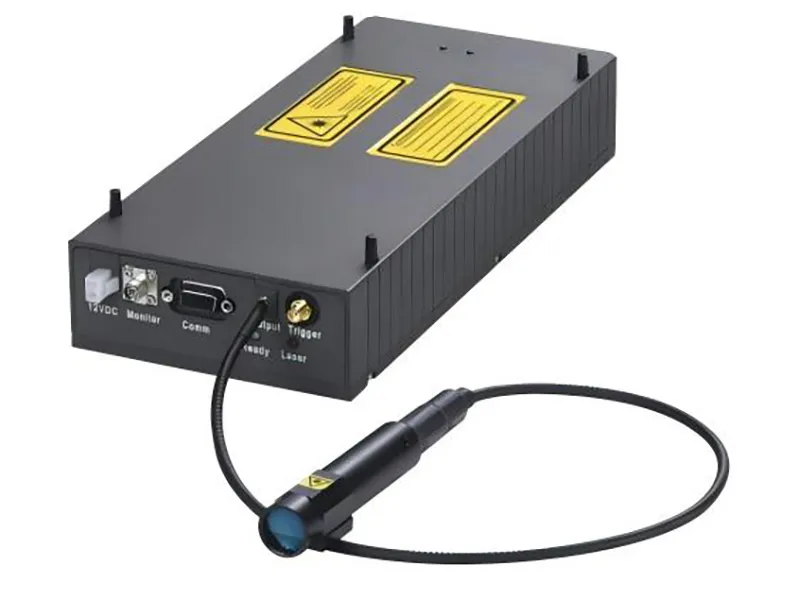
Engineers feel this pain on the production floor. Output fluctuates. Yields dip. Rework piles up. A premium insulating pad acts like a disciplined bouncer—pulling heat out fast while keeping electrical chaos in check.
Grand View Research reports the global laser market continues steady growth, driven by telecom, medical, and industrial demand. Precision isn’t optional; it’s profit.
So here’s the tension: control the heat, or let it control your margins.
Quick Answers: Laser Device Insulating Thermal Pad
1) Reducing Junction Temperature: Thermal pads help stabilize optical power by transferring heat from the laser diode to a heat sink.
2) Enhancing Beam Consistency: Low thermal impedance ensures steady output and reduces thermal hotspots.
3) Choosing the Right Material: Silicone rubber offers flexibility, while ceramic insulators provide superior thermal conductivity for high-power systems.
4) Optimizing Performance: Matching thermal pads with base plate substrates improves heat dissipation and device stability.
Laser Device Insulating Thermal Pad: What’s the Impact?
Laser systems heat up fast. When that heat is not handled well, output drops and drift creeps in. A Laser device insulating thermal pad acts as the quiet fixer, moving heat while keeping circuits isolated and stable.
Reducing laser diode junction temperature for stable output
When a laser device insulating thermal pad sits between the laser diode and the heat sink, its job focuses on controlling junction temperature and protecting performance stability.
Heat path optimization
· Direct contact with diode base
· Even pressure distribution
· Reduced air gaps that block heat dissipation
Thermal management priorities
· Lower peak junction temperature
· Maintain stable output under continuous load
· Support long-term thermal management cycles
Practical impact on output
· Less power roll-off during high current drive
· Reduced thermal runaway risk
· Improved optical consistency
A properly selected Laser device insulating thermal pad keeps internal heat flowing outward instead of building up at the chip level. That simple shift protects beam strength over time.
Lowering thermal impedance to boost beam consistency
Controlling thermal impedance is about smoothing the road for heat transfer from substrate to copper base.
Interface control
· Aluminum nitride to copper contact
· Surface roughness compensation
· Stable clamping force
Material comparison
| Material Type | Thermal Conductivity (W/m·K) | Dielectric Strength (kV/mm) | Typical Thermal Impedance (°C·cm²/W) |
| Silicone Pad | 3.0 | 6 | 0.45 |
| Ceramic-Filled Polymer | 5.5 | 5 | 0.32 |
| Graphite Sheet | 8.0 | 1 | 0.28 |
| Phase-Change Film | 4.0 | 4 | 0.35 |
Output influence
· Stable laser beam profile
· Fewer hotspots
· Better output quality
Lower impedance inside a Laser device insulating thermal pad design means smoother thermal flow, and that translates to tighter beam consistency.
Enhancing performance with polymer insulation layers
Polymer insulation works like a quiet bodyguard. It blocks stray current while allowing heat through. That balance shapes real performance enhancement.
· Electrical isolation for power transistors
· Controlled thermal resistance across thin layers
· Stable material properties under cycling loads
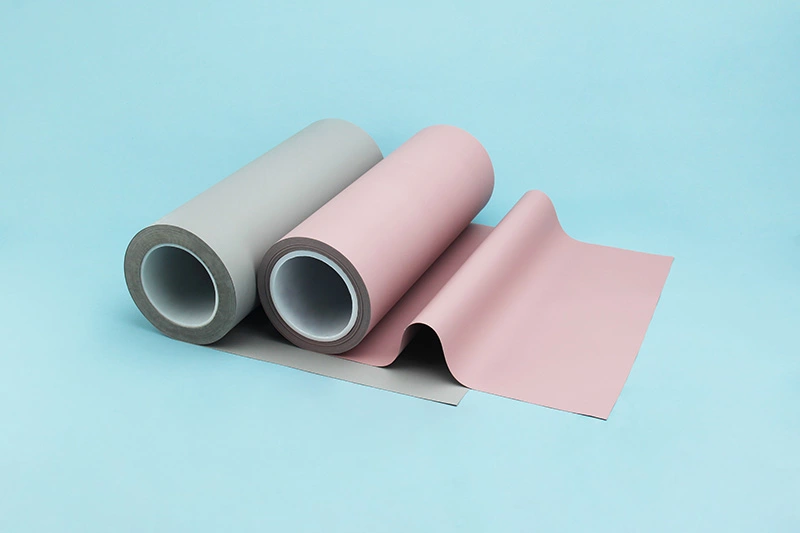
A well-built insulating thermal pad blends silicone rubber with ceramic fillers. The result? Reliable device efficiency, solid dielectric strength, and steady thermal conduction. The laser device insulating thermal pad does not just cool; it protects circuitry at the same time.
Mitigating heat-induced wavelength drift in semiconductor devices
In semiconductor devices, rising temperature shifts emission wavelength. That wavelength drift affects optical performance and precision control.
Temperature control chain
· Diode heating under current
· Pad-assisted heat mitigation
· Heat sink dissipation
Spectral stability response
· Lower fluctuation amplitude
· Improved spectral stability
· Reduced recalibration cycles
System-level effect
· Better alignment in sensor modules
· Consistent IC feedback signals
· Extended device lifespan
A high-quality Laser device insulating thermal pad keeps thermal swings in check, so wavelength stays closer to target. That means tighter control, fewer surprises, and smoother operation overall.
Laser Device Insulating Thermal Pad: Material Selection Tips
Laser modules run hot and tight. A Laser device insulating thermal pad sits between power and failure, handling heat, voltage, and pressure at once. Choosing the right laser device pad or insulating thermal pad is not guesswork—it’s material science with real-world trade offs.
Silicone rubber vs ceramic insulator: which suits your laser?
Selecting between silicone rubber and ceramic insulator materials in a Laser device insulating thermal pad depends on laser type, load, and application requirements.
Performance Priorities
Thermal Path
· Silicone rubber: 1–6 W/m·K typical; flexible, fills gaps.
· Ceramic insulator: 20–170 W/m·K; ideal for tight thermal budgets.
Electrical Safety
· Both provide strong electrical insulation, yet ceramic offers higher breakdown margins in compact, high-voltage laser device layouts.
· Mechanical Considerations
Assembly Tolerance
· Silicone-based laser device insulating thermal pad options compress easily.
· Ceramic sheets demand flatter surfaces.
Shock Resistance
· Silicone absorbs vibration; ceramic is rigid.
Cost and Integration
· Prototype builds often favor silicone.
· High-power industrial diode stacks lean toward ceramic-based thermal pad solutions.
For many OEM builds, Sheen Technology customizes each Laser device insulating thermal pad around actual heat maps, not catalog averages.
Balancing thermal conductivity and dielectric strength
A Laser device insulating thermal pad must balance thermal conductivity with dielectric strength. Push one too high, and performance trade-offs appear.
Core Material Properties
Heat Flow
· Higher conductivity lowers junction temperature.
· Insulation Requirements
· Dielectric rating must exceed system voltage rating with margin.
Design Matching
· Thin pads reduce thermal resistance.
· Thicker pads improve electrical spacing but may trap heat.
Below is a quick comparison for common laser device insulating thermal pad materials:
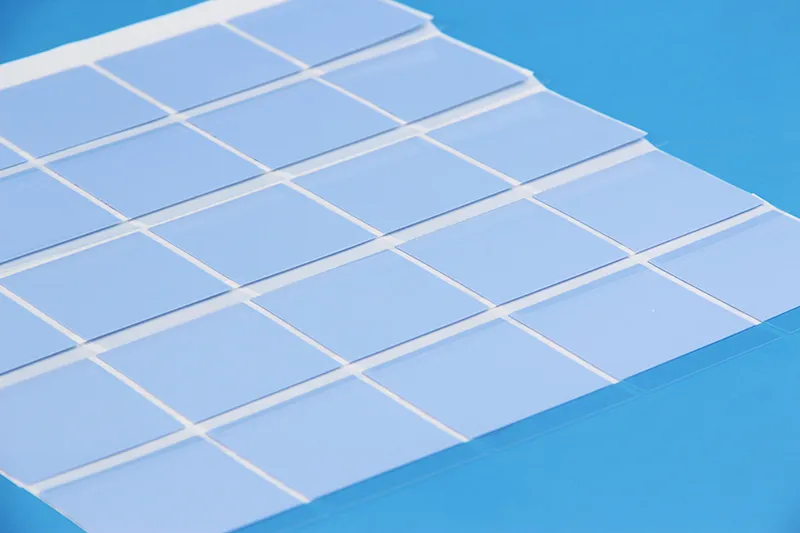
| Material Type | Thermal Conductivity (W/m·K) | Dielectric Strength (kV/mm) | Max Temp (°C) | Typical Thickness (mm) |
| Silicone Gap Pad | 3.0 | 6 | 200 | 0.5–3.0 |
| Ceramic Alumina | 24 | 12 | 300 | 0.25–1.0 |
| Aluminum Nitride | 170 | 10 | 300 | 0.25–1.0 |
| Phase Change Film | 4.5 | 5 | 150 | 0.1–0.3 |
| Polyimide Insulator | 0.3 | 8 | 260 | 0.05–0.2 |
Heat dissipation and insulation are a balancing act. In a laser device thermal pad setup, always validate under real load.
When to choose phase change material over thermal grease
A phase change material behaves differently from thermal grease in a Laser device insulating thermal pad stack.
• At defined application temperature, it softens and fills micro voids.
• During cool-down, it solidifies, reducing pump-out.
• In automated assembly process lines, it keeps thickness consistent.
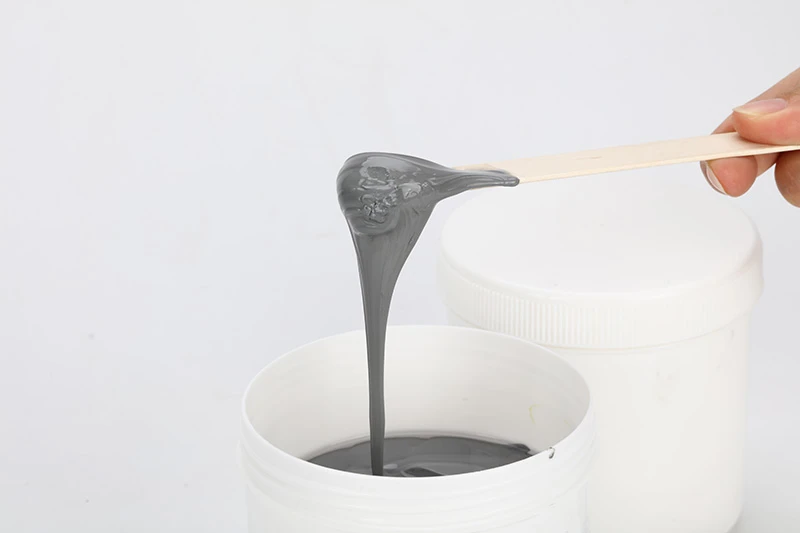
Thermal grease still works well for reworkable builds where reworkability matters. Yet in sealed laser heads, long-term stability wins. A phase-based insulating pad lowers migration risk and keeps the laser device insulating thermal pad interface clean over cycles.
Short story: grease is flexible but messy; phase change is tidy and predictable.
Matching pads to aluminum nitride and copper base plate substrates
Substrate choice shapes the entire Laser device insulating thermal pad decision.
With aluminum nitride
· High conductivity demands low interfacial resistance.
· Pair with thin ceramic-filled thermal interface material.
· Ensure matched CTE to reduce stress.
With copper base plate
· Surface finish matters—rough copper needs compliant pad compatibility.
· Oxidation control improves contact.
· Consider slightly thicker laser device pad for gap control.
Integration with Heat Sink
· Confirm flatness across substrate material.
· Validate torque during mounting.
· Measure final case temperature after install.
A well-matched Laser device insulating thermal pad keeps heat flowing from diode to heat sink without electrical risk. That’s the quiet hero inside every serious laser device build.
3 Key Parameters Determining Pad Performance
When picking a Laser device insulating thermal pad, it’s not just about sticking something soft between parts and calling it done. Heat, voltage, and contact quality all matter. A solid laser device thermal pad keeps systems cool, stable, and safe without drama.
Thermal conductivity
A Laser device insulating thermal pad lives or dies by how well it moves heat. That’s pure heat transfer, and it depends heavily on material properties.
Core performance logic
1.1 Heat absorption at the source
· The pad pulls energy from MOSFETs or laser chips.
· Efficient energy dissipation lowers peak temperature fast.
1.2 Internal conduction
· Strong thermal conductivity reduces internal thermal resistance.
· A smaller temperature gradient forms across the pad thickness.
1.3 Heat release to sink
· Smooth transfer into aluminum or copper spreaders.
· Stable output for continuous laser operation.
Material selection impact
· Filler type influences thermal interface material behavior.
· Density and compression affect long-term heat transfer consistency.
A high-performance insulating thermal pad for laser device cooling keeps junction temperatures under control without adding bulk. That balance is where Sheen Technology stands out, offering engineered pads tuned for serious laser assemblies.
Dielectric strength
Heat is one side of the story. Voltage isolation is the other.
A reliable Laser device insulating thermal pad must provide solid electrical insulation while sitting between conductive substrates. If voltage breakdown happens, the result can be catastrophic—burn marks, short circuits, or worse.
Key performance points:
· High arc resistance under surge conditions
· Stable insulating properties in humid or dusty environments
· Safe margins for high voltage applications
The International Energy Agency’s 2025 energy efficiency update notes that improving power electronics reliability is central to reducing system losses and operational risks in advanced equipment.
For laser modules and LED arrays, strong electrical safety is non negotiable. A laser insulating pad with proven dielectric strength keeps current where it belongs.
Thermal impedance
Low thermal impedance means less heat flow resistance across the interface. Simple idea. Big impact.
Interface contact quality
1.1 Surface conformity
· Softer pads fill microscopic gaps.
· Reduced air pockets lower thermal resistance.
1.2 Compression behavior
· Controlled deformation prevents excess temperature rise.
System-level effect
· Lower junction temperature in laser drivers
· Improved device cooling stability
· Smoother long-term thermal management
A well-designed Laser device insulating thermal pad doesn’t just look good on a spec sheet. It keeps temperatures steady, supports insulation, and helps the whole unit run cooler for longer.
Thermal Pad vs Traditional Heatsink: Comparison
Laser systems run hot, no surprise there. In high-power modules, a Laser device insulating thermal pad often sits quietly between chips and metal, keeping heat and electricity in check.
Let’s break down how it stacks up against a traditional sink.
Thermal Pad
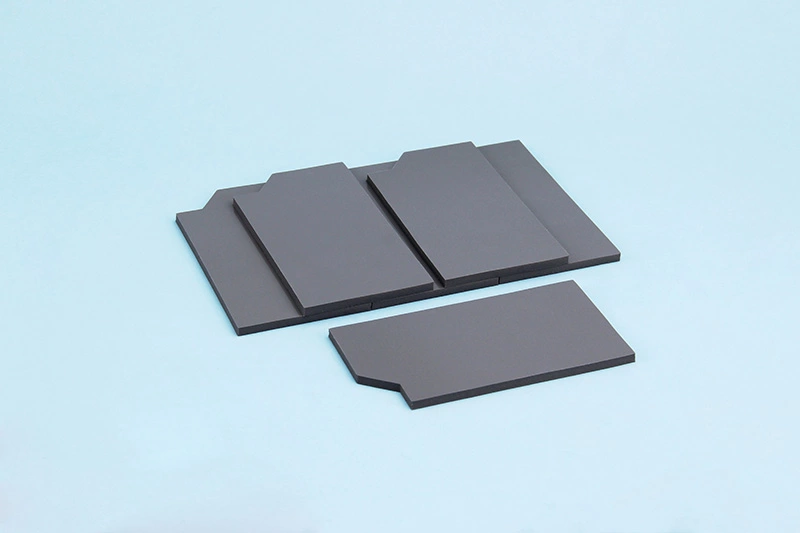
A Laser device insulating thermal pad works as both a heat path and a safety layer. In laser device assemblies, that balance really matters.
Core Functional Layers
Thermal Path
· High thermal conductivity moves heat from diode to baseplate.
· Stable heat dissipation supports steady beam output.
· Measurable temperature reduction protects driver circuits.
Electrical Barrier
· Built-in electrical insulation avoids short circuits.
· Ideal for compact laser device stacks needing separation.
Mechanical Adaptation
· Strong gap filling for uneven PCB or substrate surfaces.
· Reliable surface conformity under mounting pressure.
· Application Advantages in Laser Device Insulating Thermal Pad Designs
For laser modules
· Compensates machining tolerances.
· Reduces vibration stress.
For maintenance teams
· Ease of application cuts assembly time.
· No messy paste cleanup.
In many laser device cooling layouts, a Laser device insulating thermal pad replaces grease entirely. A laser insulating pad also simplifies rework. Sheen Technology offers material options tuned for laser diode platforms where insulation and thermal flow must coexist without drama.
| Property | Typical Value | Test Condition |
| Thermal Conductivity | 3.0 W/m·K | ASTM D5470 |
| Breakdown Voltage | 6 kV/mm | 25°C |
| Hardness | 45 Shore OO | ASTM D2240 |
| Operating Temp | -40–200°C | Continuous |
| Thickness Range | 0.5–3.0 mm | Standard |
A Laser device insulating thermal pad keeps performance steady when power climbs.
Traditional Heatsink
A traditional sink is more visible. Fins, weight, metal mass—it’s the classic approach for laser device cooling.
Key Elements
· Material (e.g., aluminum, copper) affects conduction speed.
· Smart fin design increases surface area.
· Secure mounting mechanism ensures pressure contact.
Apply thermal paste application between chip and base.
· Fasten the sink evenly.
· Pair with airflow to boost heat transfer efficiency.
Pros show up fast: strong passive heat dissipation, scalable size, and compatibility with fans or heat pipes. Still, extra weight can stress compact laser device frames. Paste also dries over time, which may hurt long-term laser device insulating thermal pad comparisons.
In high-density laser device builds, engineers sometimes combine a Laser device insulating thermal pad with a lighter heatsink. That hybrid setup balances insulation, pressure control, and airflow. Sheen Technology supports such mixed designs, helping teams fine-tune both the laser device insulating thermal pad layer and the metal cooling block for stable output.
Laser Device Insulating Thermal Pad: Installation Best Practices
A Laser device insulating thermal pad sits right at the heart of heat control in high-power laser systems. Get the install wrong and heat stacks up fast. Get it right and the laser device runs cool, stable, and drama-free.
Surface mounting prep and die bonding considerations
When installing a Laser device insulating thermal pad, solid prep work keeps thermal resistance low and long-term drift under control.
Surface preparation
On FR-4 or alumina:
· Remove flux residue during substrate cleaning
· Inspect for micro-scratches affecting surface flatness
· Confirm no oxidation before die attach
Tools:
· Lint-free wipes
· IPA ≥ 99%
· Flatness gauge (<20 μm variation)
Bonding process control
· Adhesive or solder die attach must support:
· Stable adhesion
· Low void ratio (<5%)
· Uniform bond line thickness (20–50 μm)
During the bonding process:
· Apply controlled dispense volume
· Maintain even clamp pressure
· Monitor curing ramp rate
Interface validation
· Measure thermal impedance after bonding
· Cross-check pad alignment under microscope
· Reconfirm planarity before mounting the laser device
A clean bond between the laser device and insulating thermal interface pad keeps heat flow predictable. Sheen Technology recommends documenting every bonding parameter to avoid repeat failures.
Ensuring even compression on a beryllia ceramic substrate
A Laser device insulating thermal pad placed on beryllia ceramic needs steady hands and steady pressure.
Key checks include:
· Target compression force range
· Verified contact pressure across full pad area
· Protection of substrate integrity
Recommended compression data:
| Parameter | Typical Value | Tolerance |
| Compression Force | 150–300 N | ±10% |
| Pad Thickness (compressed) | 0.20–0.35 mm | ±0.02 mm |
| Contact Pressure | 0.5–1.2 MPa | ±0.1 MPa |
Too little pressure and the thermal interface material barely touches. Too much, and the ceramic cracks.
Mounting tips:
· Use a calibrated mounting fixture
· Tighten screws diagonally
· Re-check thickness after torque
That balance keeps the laser device insulating thermal pad working like it should—moving heat, not creating stress.
Integrating with heat pipe or vapor chamber systems
For high-power builds, a Laser device insulating thermal pad often bridges the laser module and advanced cooling hardware.
Mechanical alignment
· Between laser device and cooling block:
· Verify interface compatibility
· Ensure pad covers full hotspot area
With heat pipe integration:
· Match pipe base flatness
· Confirm clamping symmetry
Thermal pathway mapping
· Laser die → insulating thermal pad → copper base → vapor chamber interface
Evaluate:
· Heat spreading angle
· Maximum junction temperature
· Total heat dissipation capacity
System assembly checks
· Inspect for lateral pad shift
· Confirm even preload
· Validate overall thermal management stability
A properly aligned laser device thermal pad helps the cooling solution do its job without hotspots sneaking in.
Final thermal curing and assembly process review
Locking in performance for a Laser device insulating thermal pad takes a disciplined wrap-up:
· Set controlled thermal curing profile (time + temperature).
· Monitor adhesive flow during the assembly process.
· Run post-cure quality control inspection.
· Conduct performance validation under nominal load.
· Complete final inspection with thickness and torque checks.
· Log data for process optimization.
· Schedule accelerated reliability testing.
This last stretch is where long-term stability gets decided. Sheen Technology builds its laser device insulating thermal pad solutions with flammability compliance and endurance in mind, so once installed, the system simply runs cool and stays that way.
FAQs about Laser Device Insulating Thermal Pad
What is the main benefit of a Laser Device Insulating Thermal Pad in semiconductor modules?
· A Laser device insulating thermal pad acts as a controlled bridge between the laser diode and the heat sink while blocking unwanted current paths.
· Maintains lower junction temperature by reducing thermal impedance between aluminum nitride or copper base plate and the semiconductor device.
· Provides high dielectric strength, protecting MOSFET or integrated circuit surfaces from short circuits.
· Stabilizes optical output by limiting wavelength drift caused by heat buildup.
Compared with thermal grease or thermal paste, a thermal pad offers cleaner assembly during die bonding and surface mounting, especially in tightly packed LED array or power transistor modules.
How does material selection influence performance and safety?
Material choice shapes both heat flow and insulation reliability during long operation cycles.
· Thermal performance – High thermal conductivity materials such as phase change material or advanced thermal gap filler reduce interface resistance between alumina substrate and vapor chamber.
· Electrical isolation – Silicone rubber, polymer insulation, mica sheet, or ceramic insulator layers raise electrical resistivity and prevent breakdown across conductive layers.
· Environmental stability – Strong temperature resistance and flammability rating support use near heat pipes, liquid cooling blocks, or thermal spreaders.
A mismatch between pad and substrate—such as beryllia ceramic or silicon carbide—can increase thermal impedance and stress the assembly process.
How should a Laser device insulating thermal pad be installed for reliable results?
Proper installation protects both performance and mechanical integrity:
· Clean the aluminum nitride or FR-4 laminate surface before material lamination.
· Apply even compression during component integration to avoid air gaps.
· Confirm uniform thickness across the copper base plate.
· Complete thermal curing if using thermal adhesive or phase change material variants.
Careful handling during assembly prevents cracking of brittle substrates and ensures steady heat transfer from the laser diode to the cooling fan or heat sink over long operating hours.
Sheen Thermal
Dongguan Sheen Electronic Technology Co., Ltd · Founded in 2008
Manufacturer of thermal interface materials and silicone foam for automotive electronics, energy storage, power electronics, communications and consumer electronics.
Certified
- ISO 9001:2015
- ISO 14001:2015
- IATF 16949:2016
What we supply
- Thermal conductivity Up to 90 W/m·K
- Thickness 0.3–10.0 mm
- Custom & samples Die-cut to drawing, 3–7 days